Page 1 of 1
10.25 TFT Split Screen Zoom
Posted: Fri Aug 16, 2024 8:00 pm
by MotorcycleMEB
Hi guys,
I have a 2024 R1250RT and am trying to zoom on the right screen when it is set for navigation. Is this possible while keeping the split screen?
Thank you
Re: 10.25 TFT Split Screen Zoom
Posted: Sat Aug 17, 2024 4:58 pm
by Gareth1962
Don't think you can, haven't checked with the manual, but never been able to zoom on the map in the split screen myself, only when on the full setting.
Re: 10.25 TFT Split Screen Zoom
Posted: Sat Aug 17, 2024 7:37 pm
by jesim1
Yes, you can, it's a bit of a pain, but you can do it through navigation and then go to split screen and it remembers, (for that ride) but I don't think you can change it while in that screen, you have to go back to the main nav screen for that - and I'm sure if you have it set on auto zoom it messes this up

Is it just me, or did BMW mis a trick by having a big TFT and then making the map screen a letterbox
Re: 10.25 TFT Split Screen Zoom
Posted: Wed May 07, 2025 4:49 pm
by BoxerN8
jesim1 wrote: Sat Aug 17, 2024 7:37 pm
Yes, you can, it's a bit of a pain, but you can do it through navigation and then go to split screen and it remembers, (for that ride) but I don't think you can change it while in that screen, you have to go back to the main nav screen for that - and I'm sure if you have it set on auto zoom it messes this up
Is it just me, or did BMW mis a trick by having a big TFT and then making the map screen a letterbox
I am at a bit of a loss when it comes to the navigation... navigation. I have seen in several videos the TFT displaying a full map screen across the entire TFT (including in BMW's own video for Navigation on the R1250RT) - yet I am unable to find any option/shortcut/menu/submenu/button that allows me to change the split screen to full Map mode.
If anyone can help a brotha out, I'd greatly appreciate it.
Re: 10.25 TFT Split Screen Zoom
Posted: Mon May 12, 2025 1:15 pm
by Ribcracker
You will only get a full screen map when you're not navigating.
When you enter a destination and are navigating to it, the screen splits to show the next junction instruction on the right.
Re: 10.25 TFT Split Screen Zoom
Posted: Fri May 23, 2025 7:35 pm
by jesim1
Ribcracker wrote: Mon May 12, 2025 1:15 pm
You will only get a full screen map when you're not navigating.
When you enter a destination and are navigating to it, the screen splits to show the next junction instruction on the right.
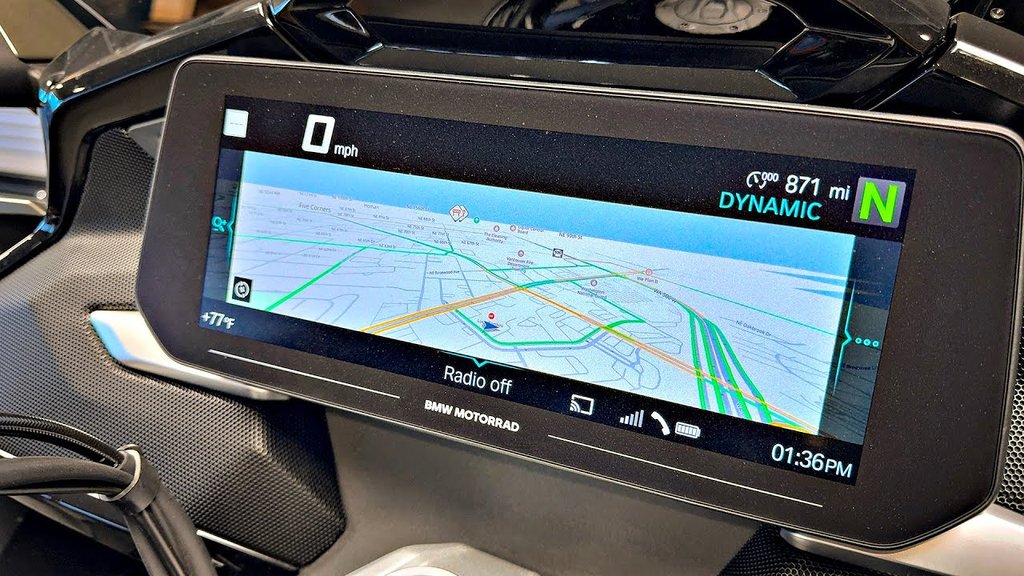
This isn't right, you can use the sat nav on full screen easily, just go to the nav function using the wheel on the left bar. I've used it in the past while touring, but I tend to use the split screen instead as the full screen give you a letterbox effect, so the sat nav is shorter, but longer, which is poor. They could have made it fill the screen, but they didn't
Internet screen grab, I can't be bothered getting my bike out t make a point

Re: 10.25 TFT Split Screen Zoom
Posted: Fri May 23, 2025 7:41 pm
by BoxerN8
I believe he's referring to the fact that you can't actually do turn by turn navigation and see the full map - which has been my experience as well. But I agree with you on the split screen. I mostly default now to having the normal dash info on the left and the square map with turn by turn on the right. It's actually a better map view than the letterbox'd map on the left with the turn by turn on the right. I'll end up getting the second screen to mount for CarPlay, but for now this will work.
Re: 10.25 TFT Split Screen Zoom
Posted: Mon May 26, 2025 8:54 pm
by jesim1
BoxerN8 wrote: Fri May 23, 2025 7:41 pm
I believe he's referring to the fact that you can't actually do turn by turn navigation and see the full map - which has been my experience as well. But I agree with you on the split screen. I mostly default now to having the normal dash info on the left and the square map with turn by turn on the right. It's actually a better map view than the letterbox'd map on the left with the turn by turn on the right. I'll end up getting the second screen to mount for CarPlay, but for now this will work.
This was my thoughts also.
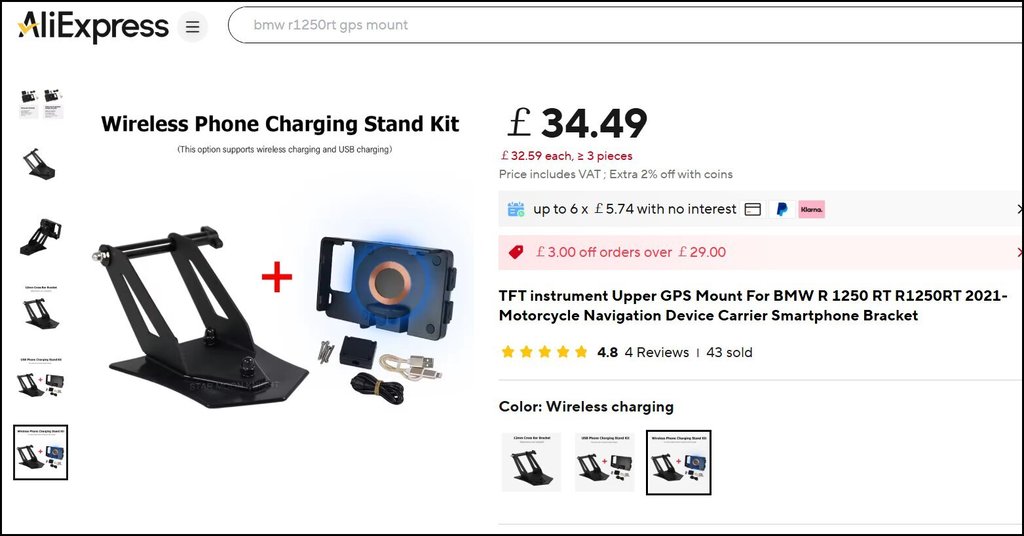
But as I have a decent iPhone, and it's a faff and cost getting more wiring set up for anything else, I decided to just order this from AliExpress.
I can simply plug it into the USB on the bike for wireless charging if my phone is running low, but I get a full day out of it anyway, so it's a "just in case" solution, and I can then use Google maps or anything else on my phone when it's more convenient to do so.